Clone RCA
Clone RCA allows teams to quickly duplicate a previously completed root cause analysis, preserving its structure and insights. This ensures similar issues can be investigated faster, with greater consistency, and without recreating the entire RCA from scratch.
Any RCA record can be cloned irrespective of its status (active or inactive/closed).
Steps
Select Clone Option
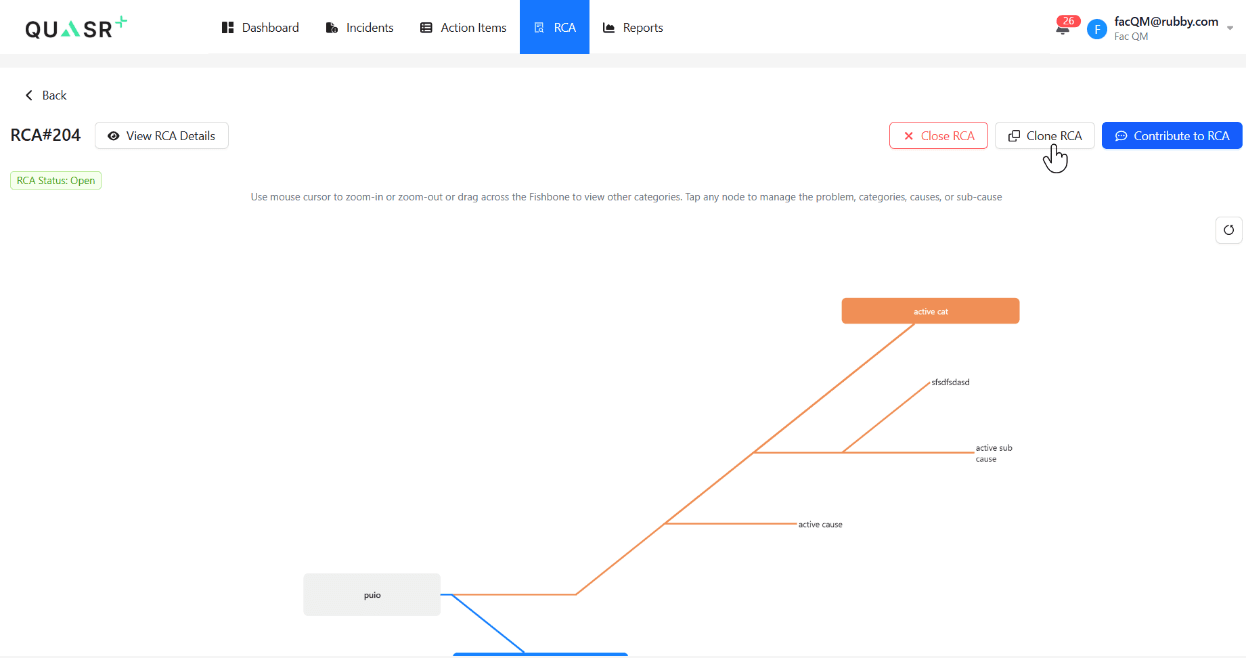
Navigate to the RCA record you want to duplicate and click the Clone RCA option.
Fill Mandatory Details
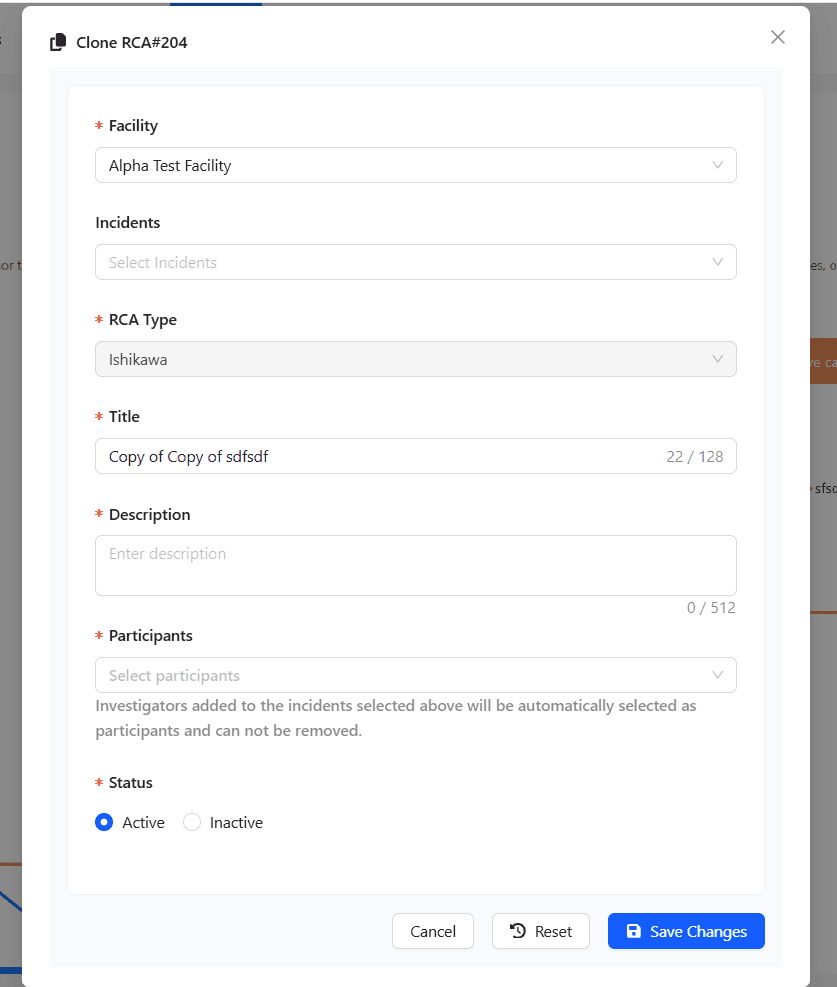
It is mandatory to fill in the required fields. Take an informed decision on linking the correct Incidents and Participants to the cloned RCA record.
Save Cloned RCA
Once the mandatory fields are added, click Save Changes. The system will create a new RCA record. The participants can now contribute to the cloned RCA record.
Last updated on