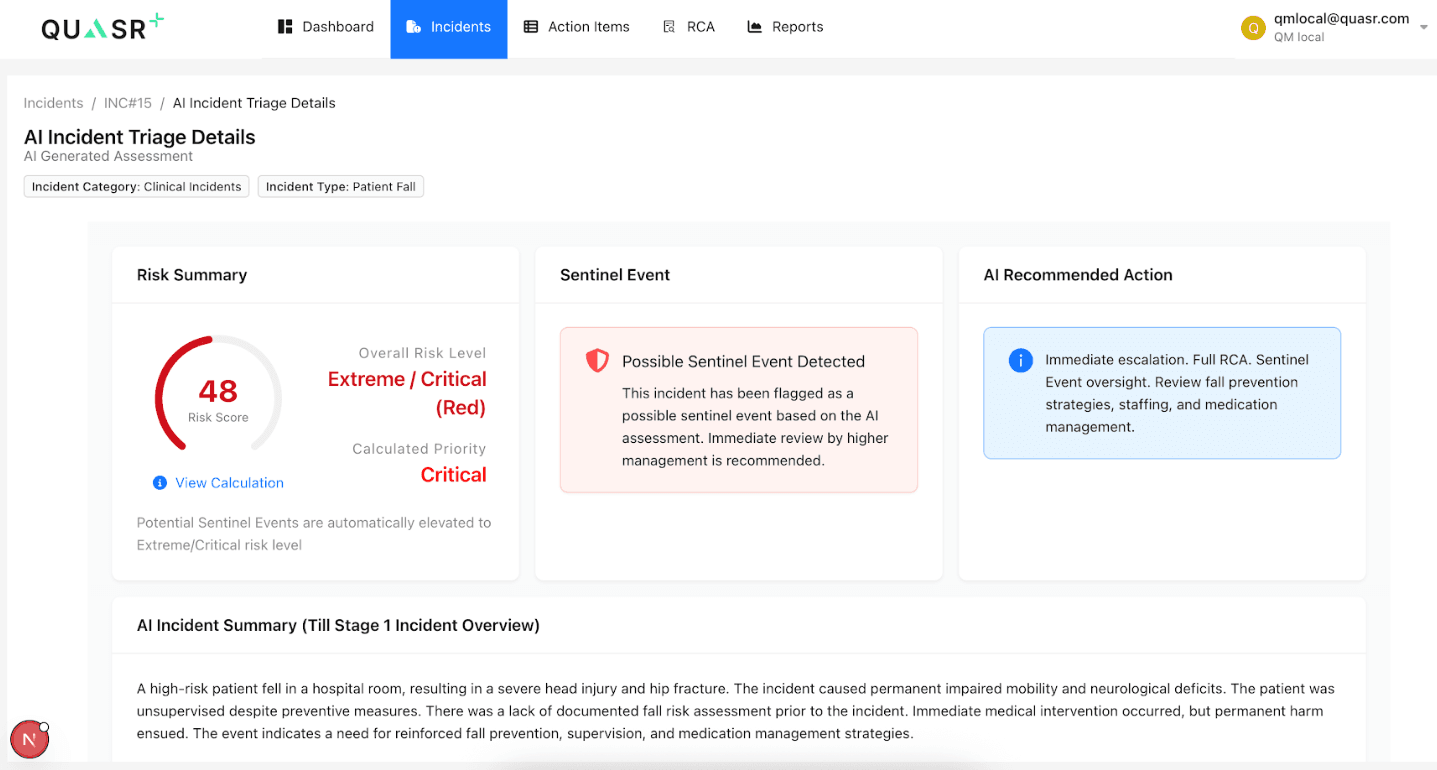
AI Incident Triage
AI Triage analyzes the incident details and automatically generates the Risk Summary, Sentinel Event check, AI‑Recommended Action, AI interpreted Summary and Assessment Rationale based on the information provided in the preliminary details, Patient form (if available), and the Incident form.
Who can perform this?
Roles: Facility QMs
Who can access?
Standard and Premium Users
Prerequisites
Signed in to QUASR+, access to the Incident module, and an existing incident record.
AI Triage
AI Triage: Only the QMs have access to generate AI Triage these outputs are visible to all the incident stakeholders.
Navigate to Incident Module and open an Incident
Go to the Incident module and select the incident.
- Why: The incident must be accessed to generate or view the AI Triage
- Expected result: The selected incident’s AI Triage will be generated
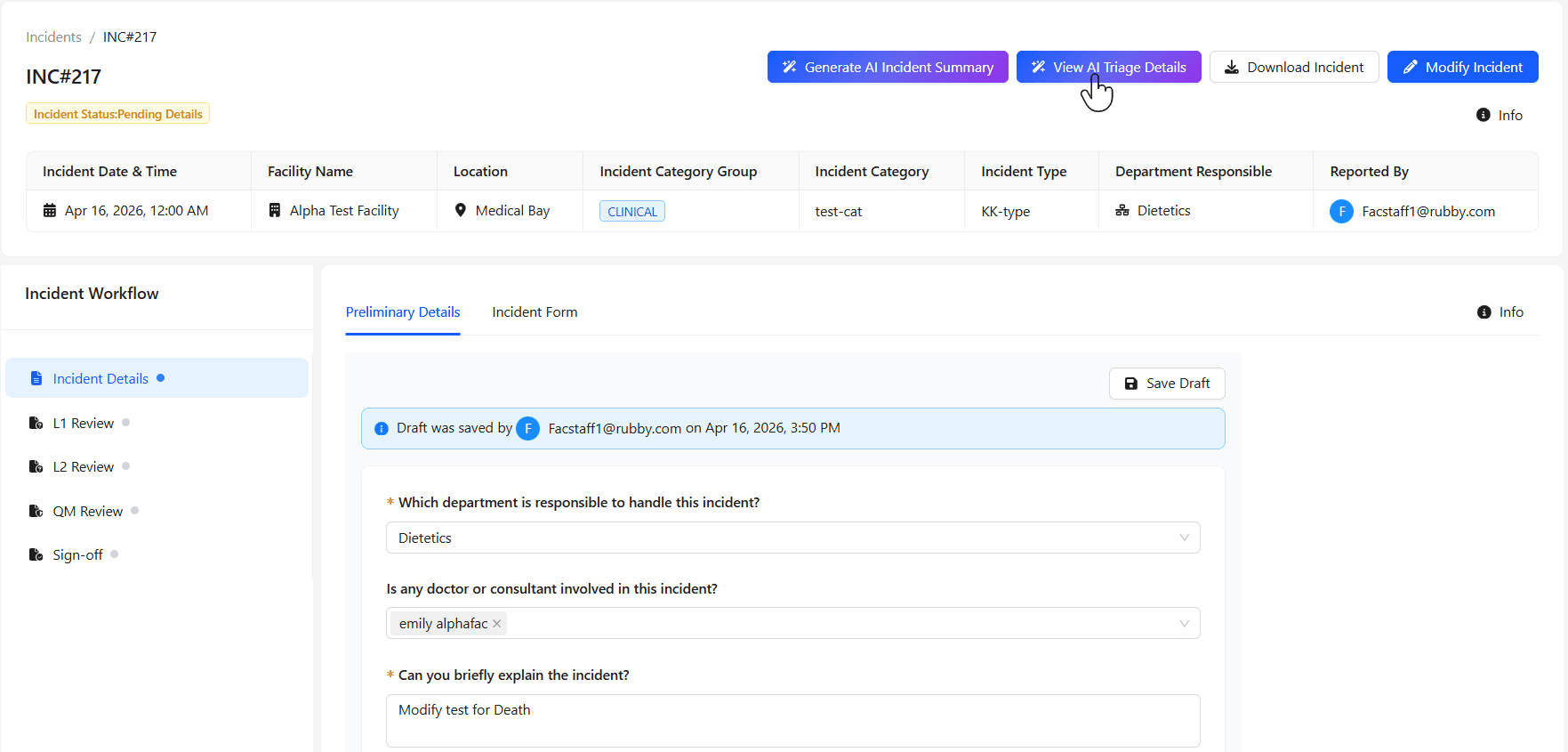
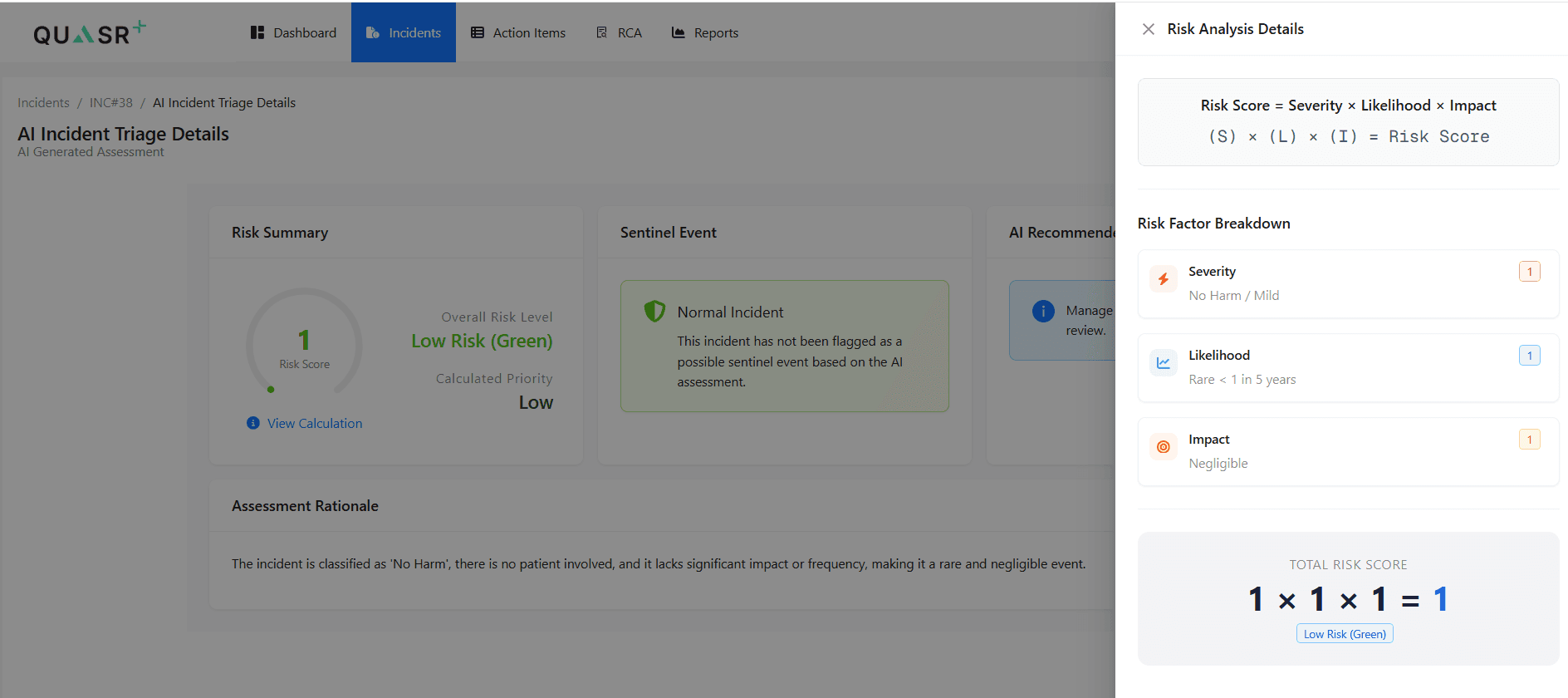
The Triage assessment is generated solely from the information provided in the Pending Details stage, while the risk score is calculated based on severity, likelihood, and impact as interpreted by the AI using data from the Preliminary Details, Patient Details, and Incident Form.
If the AI detects potential Sentinel Events, the system further evaluates the incident against defined Sentinel Event conditions—such as death, permanent harm, severe harm, or the need for life‑sustaining intervention—along with any other applicable criteria and the potential Sentinel Events are automatically elevated to Extreme/Critical risk level.