AI Incident Summary
AI Incident Summary provides an AI-generated overview of an incident record. The summary adapts to the incident’s current workflow stage, helping stakeholders quickly understand the latest status, key details, and next actions without reviewing the full record.
Who can perform this?
Roles: Incident Stakeholders / Authorized Users
Who can access?
Premium Plan users only
Prerequisites
Signed in to QUASR+, access to the Incident module, and an existing incident record.
Before You Start
Access level required: Permission to view the selected incident
Plan availability: Premium plan customers only.
Limitations: Summary content changes based on the incident workflow stage.
Steps
Select the incident record
From the main navigation, go to Incident and open the specific incident record from the Incdients list.
Click and Open the incident for which you want to generate or view the summary.
- Why: The AI uses the selected incident’s current data and workflow stage.
- Expected result: The incident details page opens.
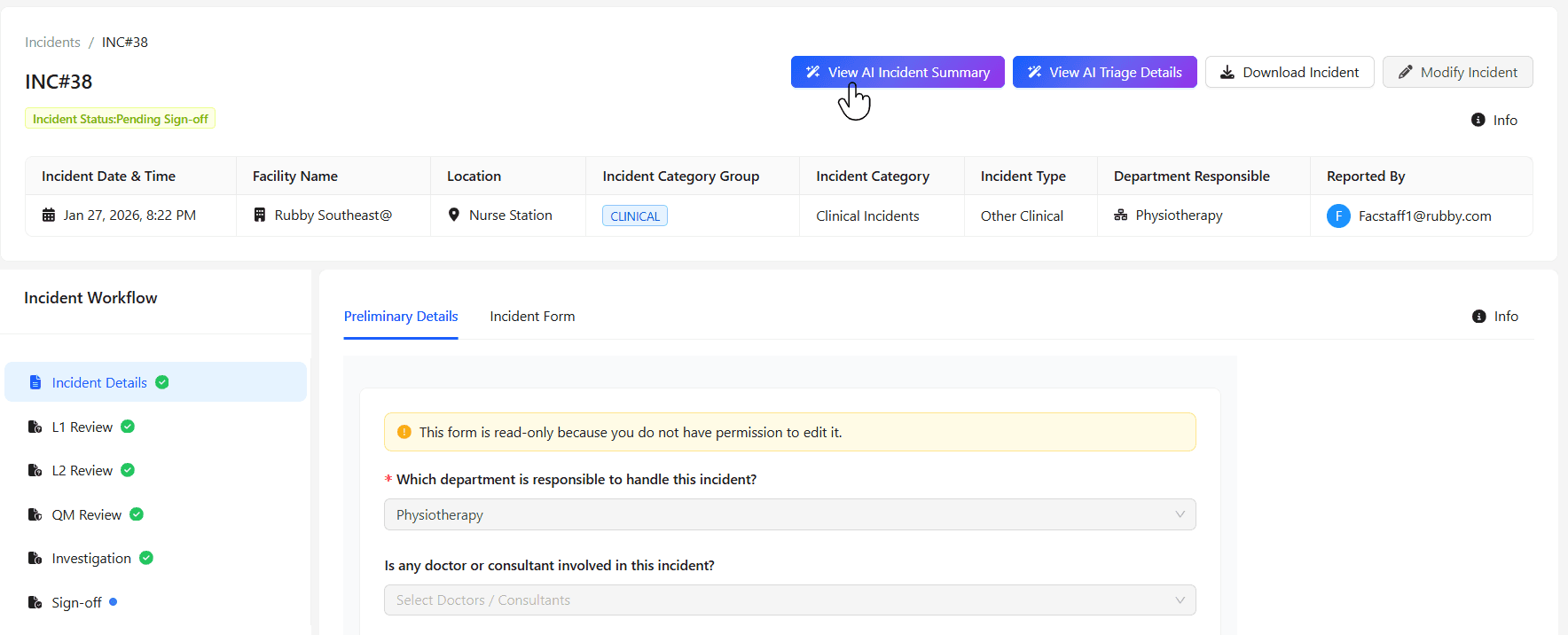
Generate or view the AI Incident Summary
Access the AI Incident Summary option within the incident record. The system generates a summary automatically using the current incident details.
- Expected result: A concise summary is displayed based on the incident workflow stage.
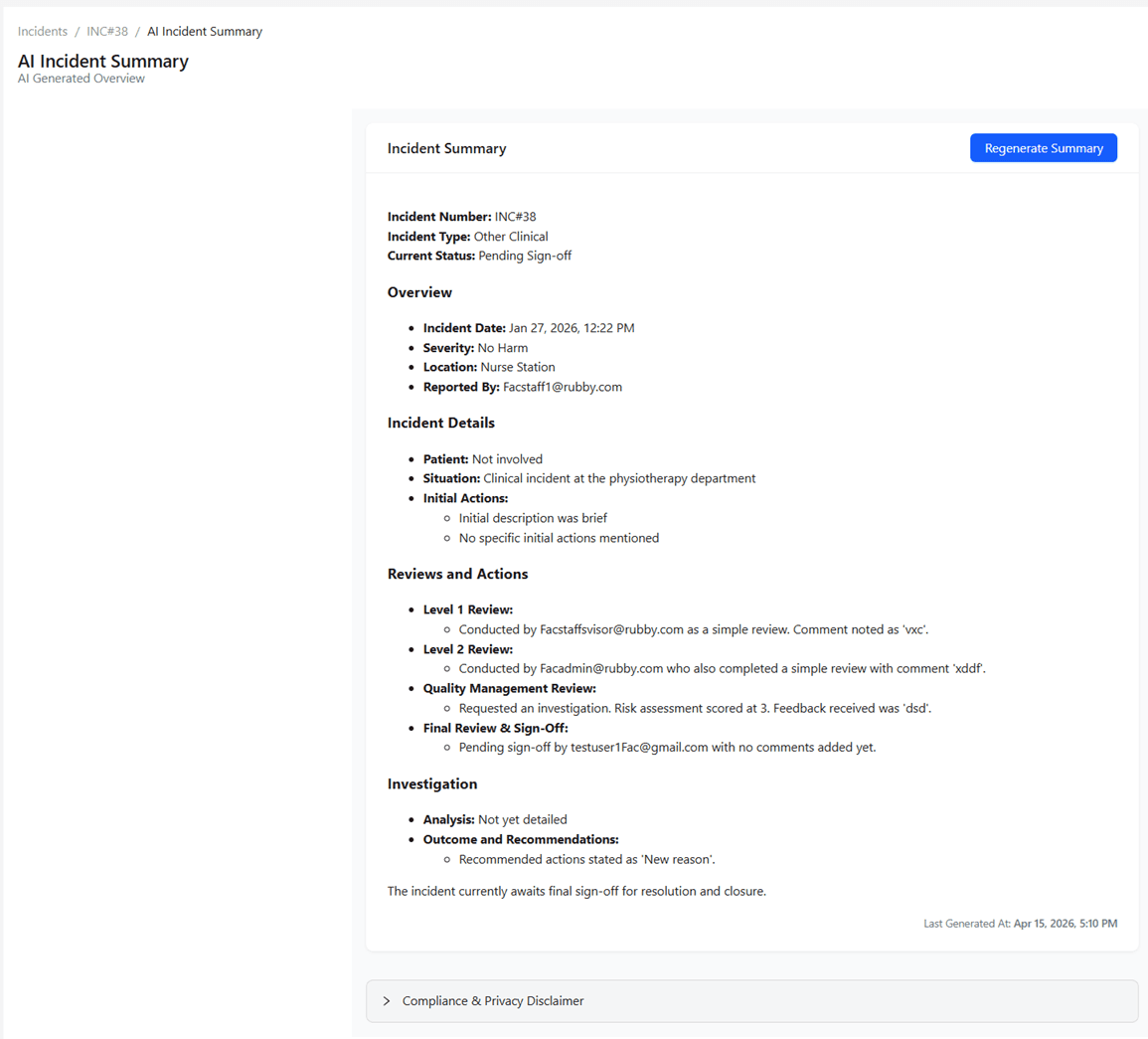
The summary is now available for incident stakeholders to review.
Scenario Results
| Scenario | Result |
|---|---|
| New incident | Summary focuses on reported details and initial context |
| In review | Summary reflects investigation progress and current status |
| Advanced workflow stage | Summary highlights latest actions, decisions, and outcomes |
| Sensitive incident | Restricted data is automatically redacted |
Tips & Best Practices
- Review the summary before sharing it externally.
- Use the summary to accelerate handovers and management updates.
- Keep incident records updated for the most accurate AI output.
- Reopen the summary after workflow changes to view refreshed content.
Troubleshooting
| Issue | Likely Cause | Fix |
|---|---|---|
| Summary not visible | Feature not enabled for your plan | Confirm Premium plan access |
| Summary incomplete | Incident data missing or outdated | Update incident details and retry |
| Sensitive data hidden | Incident flagged as Sensitive | Expected behavior due to automatic redaction |
| Unable to access incident | Missing permissions | Contact your administrator |