Incident History
The Incident History widget provides a detailed, chronological record of all actions, updates, and changes made throughout an incident lifecycle. It helps you track accountability, review decisions, and understand how an incident evolved over time—especially useful for audits and post-incident analysis.
Before You Start
Access level required: View access to Incidents module and Incident Stakeholders
Limitations: Visibility of certain history details may be restricted for sensitive or anonymous incidents based on user roles and permissions
Steps
Open the Incident History Widget
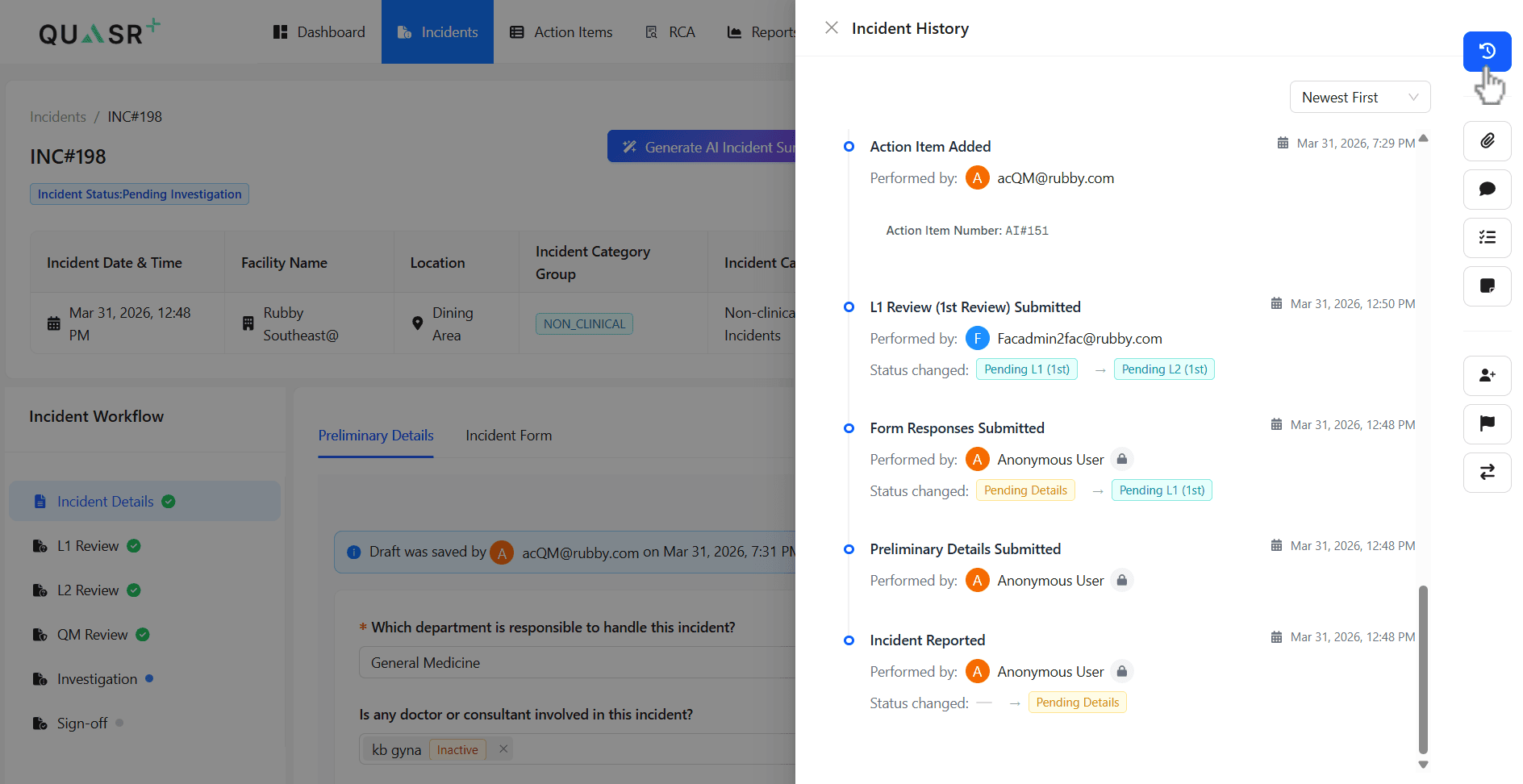
Navigate to the Incidents module and select the relevant incident you want to review. On the right-hand side, locate the Incident Widgets panel and click the Incident History icon
- Why: This widget contains the full timeline of changes and actions
- Expected result: The Incident History panel opens with activity
Review and sort history records
Review the displayed activity timeline. Use the sorting option to switch between: - Newest First - Oldest First
- Expected result: The history list updates based on your selected sorting preference
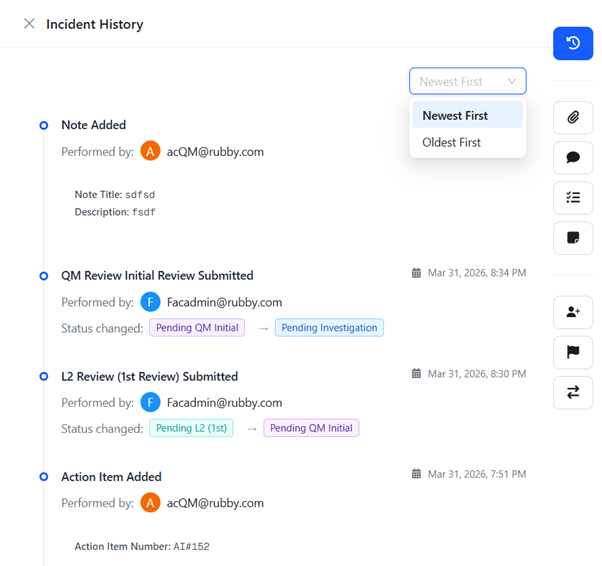
You can now track all updates, stage changes, and actions performed on the incident.
Tips & Best Practices
- Use sorting to quickly focus on recent updates or review the full lifecycle from the beginning
- Check role-based visibility if expected details are missing
- Leverage history during audits to validate actions and timelines