AI Incident Analysis
The AI Incident Analysis feature provides a comprehensive, easy-to-understand AI-driven analysis of incidents to help users quickly assess severity, identify patterns, and take corrective actions. This feature is available only to Premium Plan users.
Who can perform this?
Roles: Facility QMs
Who can access?
Premium Plan users only
Prerequisites
The Incident status must not be Pending Details, Pending Sign-off, or Closed.
Overview
The AI Incident Analysis page is organized into two major sections:
- High-level Summary: A quick visual snapshot of key incident metrics.
- Detailed Insights (Sectioned Analysis): Tabbed sections covering Quality Metrics & Risk, Key Topics & Medical Terms, Pattern Analysis, and AI Recommended Actions.
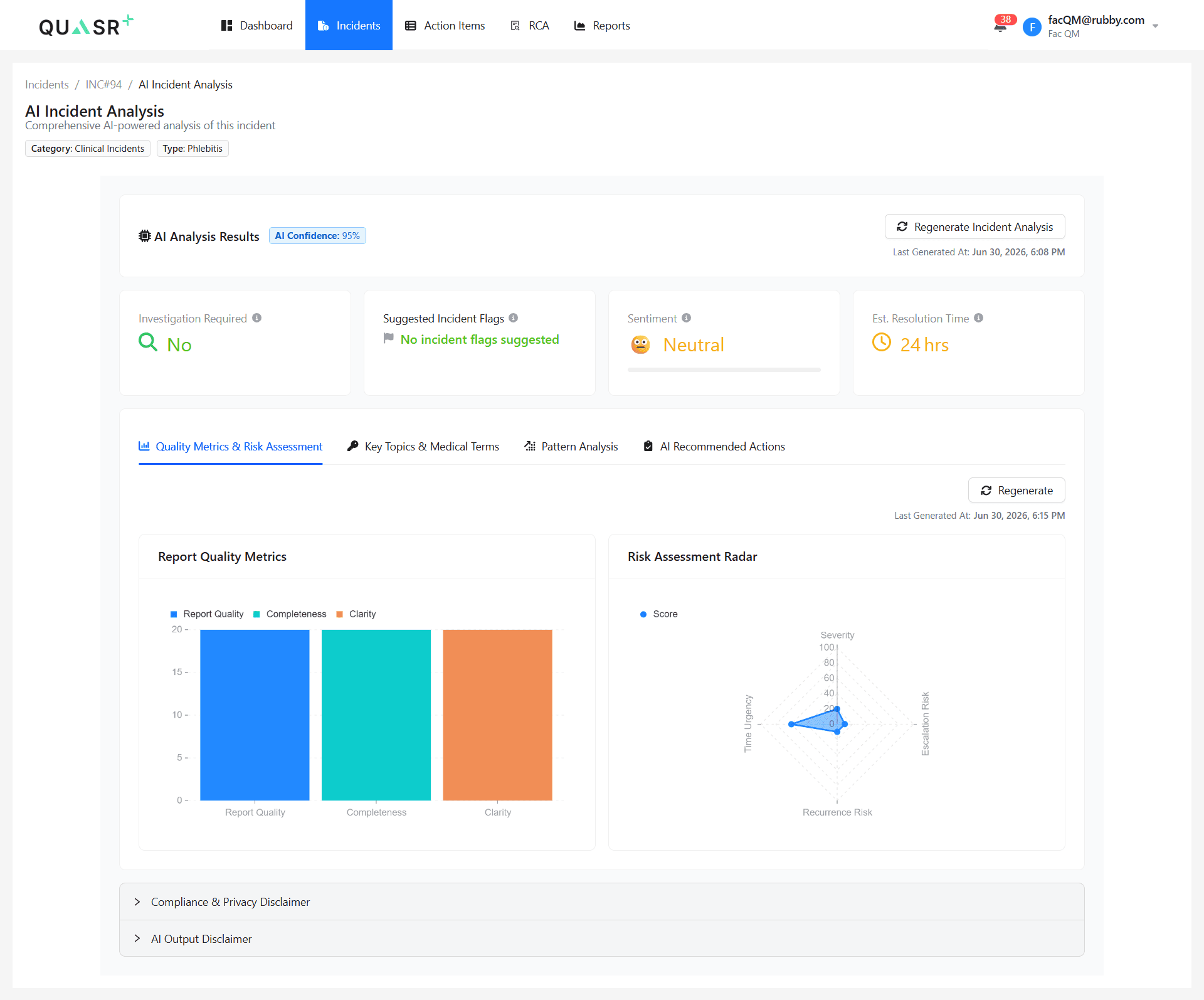
Regeneration Logic: - Facility QMs can regenerate the AI Incident Analysis whenever changes are made to the incident. If no changes have been made, the regenerated output will remain the same. - The tabbed analysis sections are not generated automatically; Facility QMs must manually trigger regeneration for each section to obtain updated insights.
Analysis Sections
AI Analysis Results
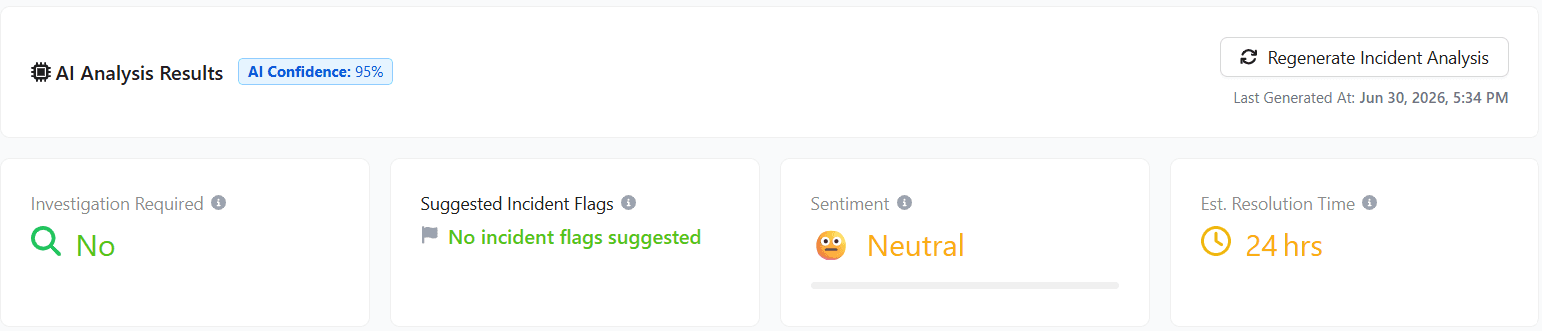
The high-level Analysis results section helps users analyze incident attributes at a glance, including:
- Investigation Required: Suggested need for formal investigation.
- Suggested Incident Flags: Automated incident categorization tags.
- Sentiment: Overall emotional tone extracted from the report.
- Est. Resolution Time: Estimated timeline for incident resolution.
Sectioned Analysis (Tabs)
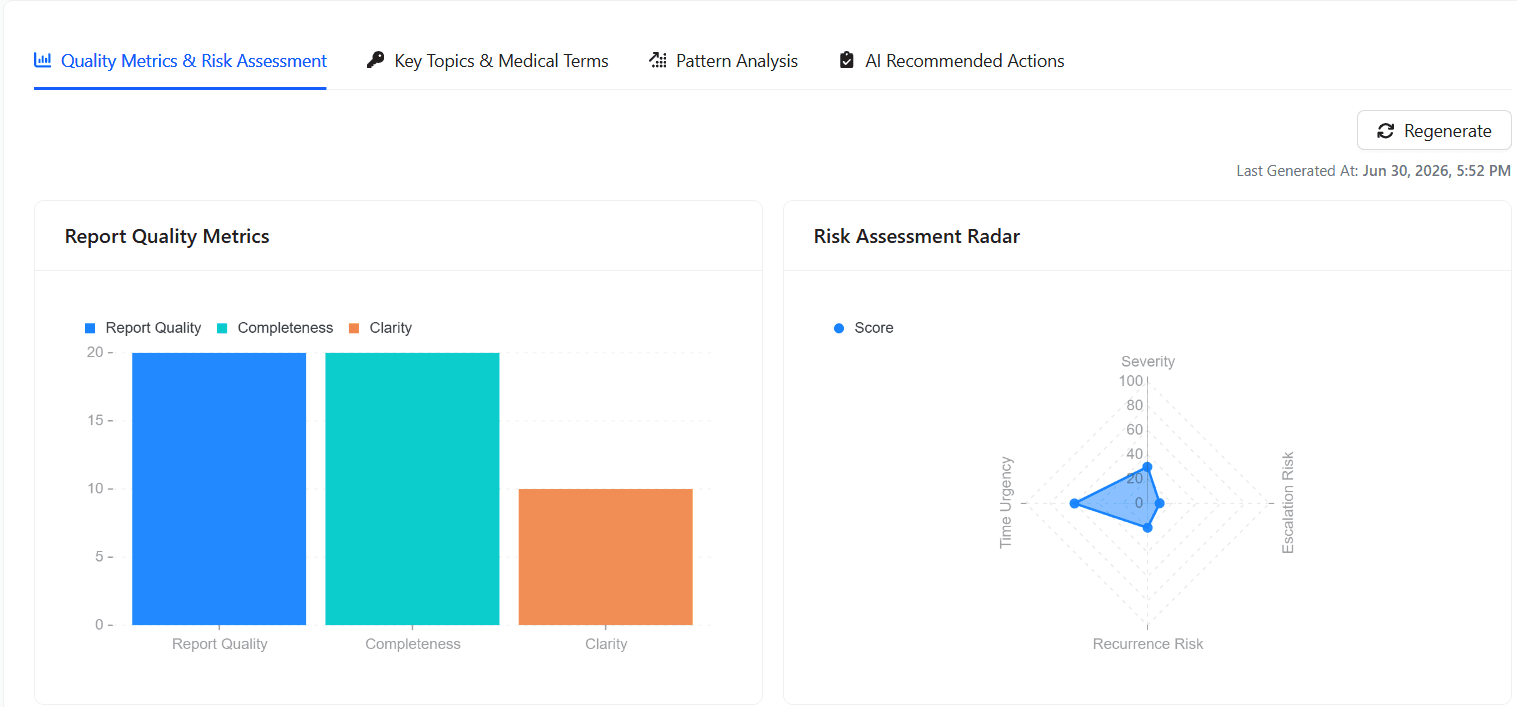
Quality Metrics & Risk Assessment
Transforms complex quality and risk data into intuitive bar and radar chart insights, enabling Facility QMs to quickly assess report quality, understand risk levels, and make informed decisions with greater clarity and confidence.
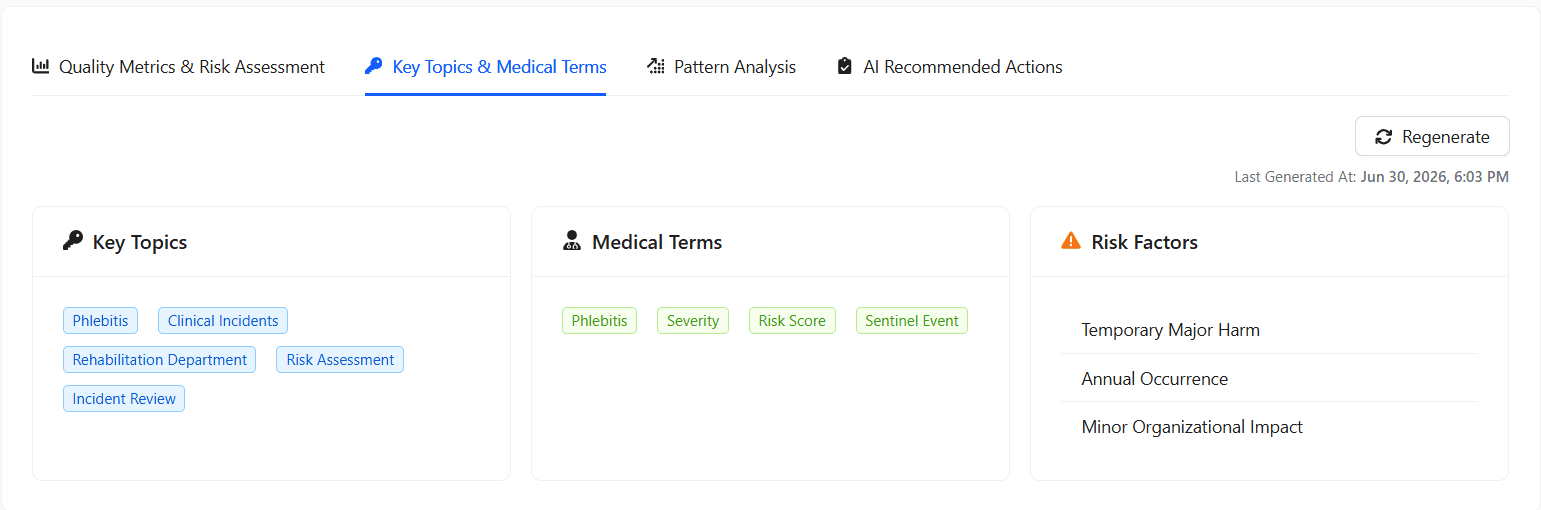
Key Topics & Medical Terms
Highlights the incident’s main themes, identifies important medical terminology, and categorizes relevant risk factors to provide a clear, structured understanding of the case.
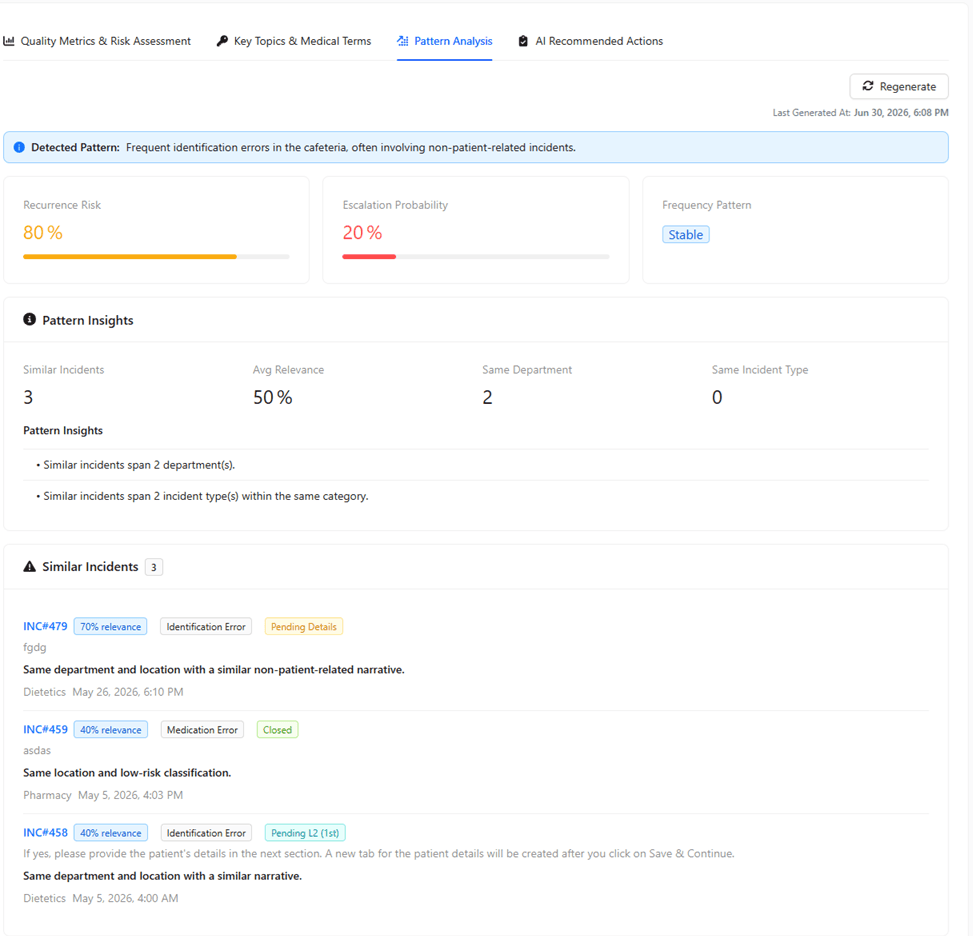
Pattern Analysis
Highlights overall similarity percentages, lists comparable past incidents with key details, and presents concise pattern insights along with visual cards showing recurring risk, escalation probability, and frequency patterns to reveal trends at a glance.
AI Recommended Actions
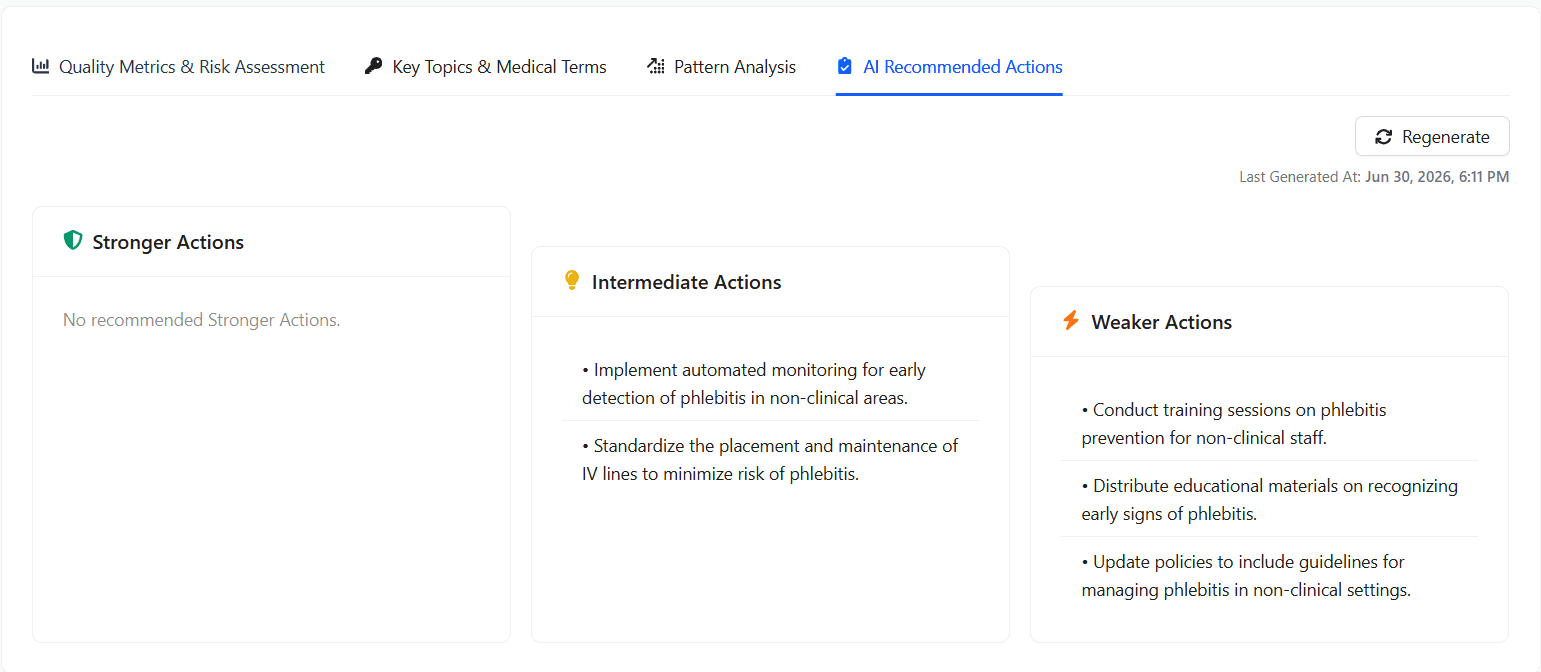
Prioritizes stronger, intermediate, and weaker actions using clear visual indicators (green, amber, red) to help users quickly understand effectiveness levels and choose the most impactful corrective steps.