Verifying Your Account
Verification ensures the security of your organization’s data and activates your subscription. You cannot access the QUASR+ dashboard until email verification is complete.
Overview
Who:
Account AdminTime:
~3 minutesPrerequisites:
Completed signup form, access to email inbox
Before You Start
- Access level required: Account Admin (in-progress)
Check your spam/junk folder if you do not see the verification email within 2 minutes.
Steps
Get Verification Code
Open your email inbox and find the “Welcome to QUASR+” email. Copy the verification code provided in the email.
- Why: Confirms you own the email address.
- Note: The code expires in 24 hours (only for sign up verification code).
Enter Verification Code
Return to the QUASR+ verify code page and paste the code into the verification field.
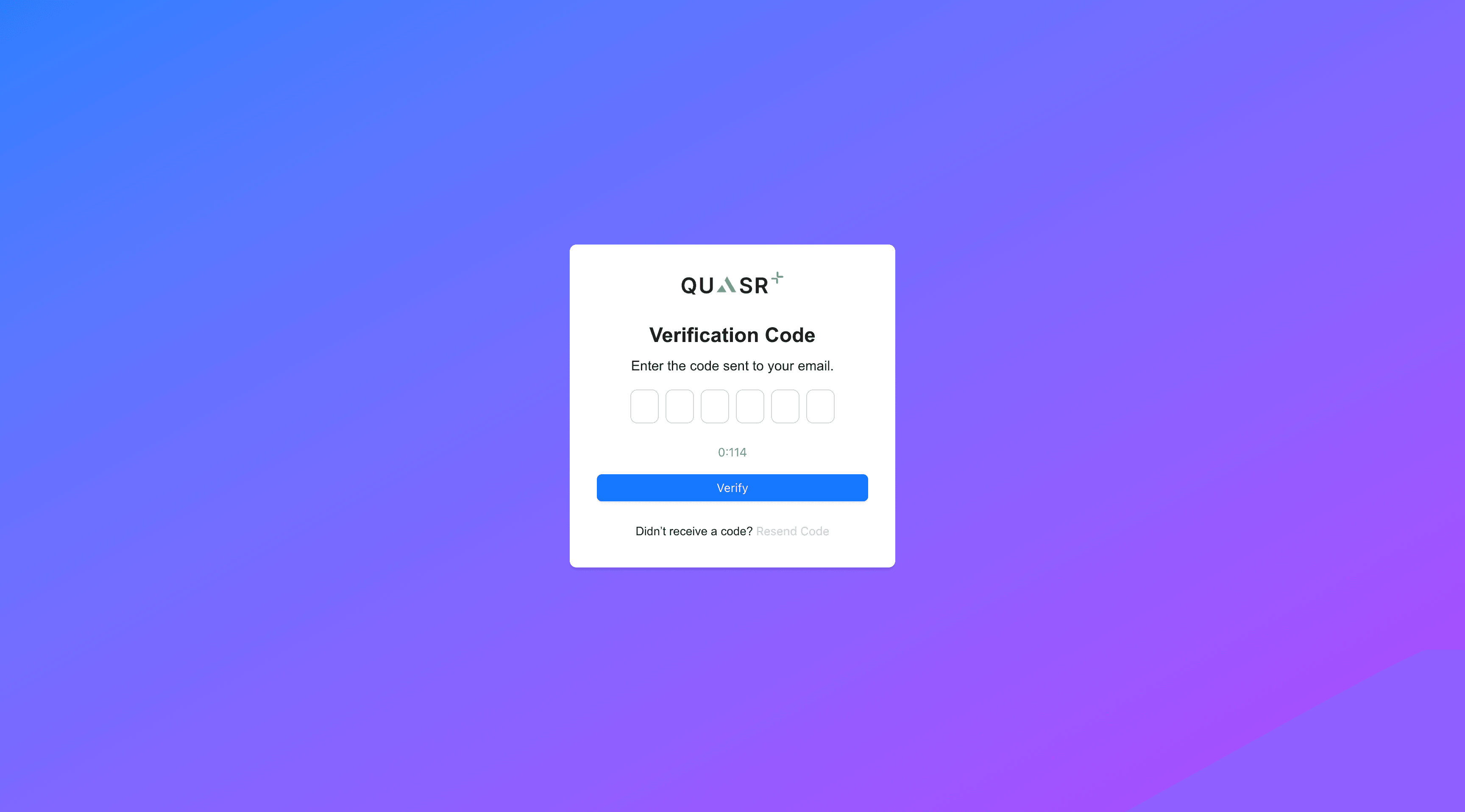
- Action: Click Verify.
- Expected result: You will see a success message and get redirected to the Sign-In page.
Sign In
Log in using the credentials you just created.
- Email: The professional email address you registered with.
- Password: The password you set in the previous step.
Land on Admin Settings
After successful login, you will be directed to the Admin Settings page to complete your initial configuration.
Success: You have now created your tenant (Organization Account). You are the Account Admin.